A good ping does not guarantee smooth movement. One packet is delayed, the next catches up, and an opponent's positions arrive almost together even though the server sent them apart. A screenshot cannot show it; a crosshair makes it immediately apparent. Network God was created to investigate the connection. It collected measurements and helped choose settings, distinguishing what the client knew from what the received packets could not establish.
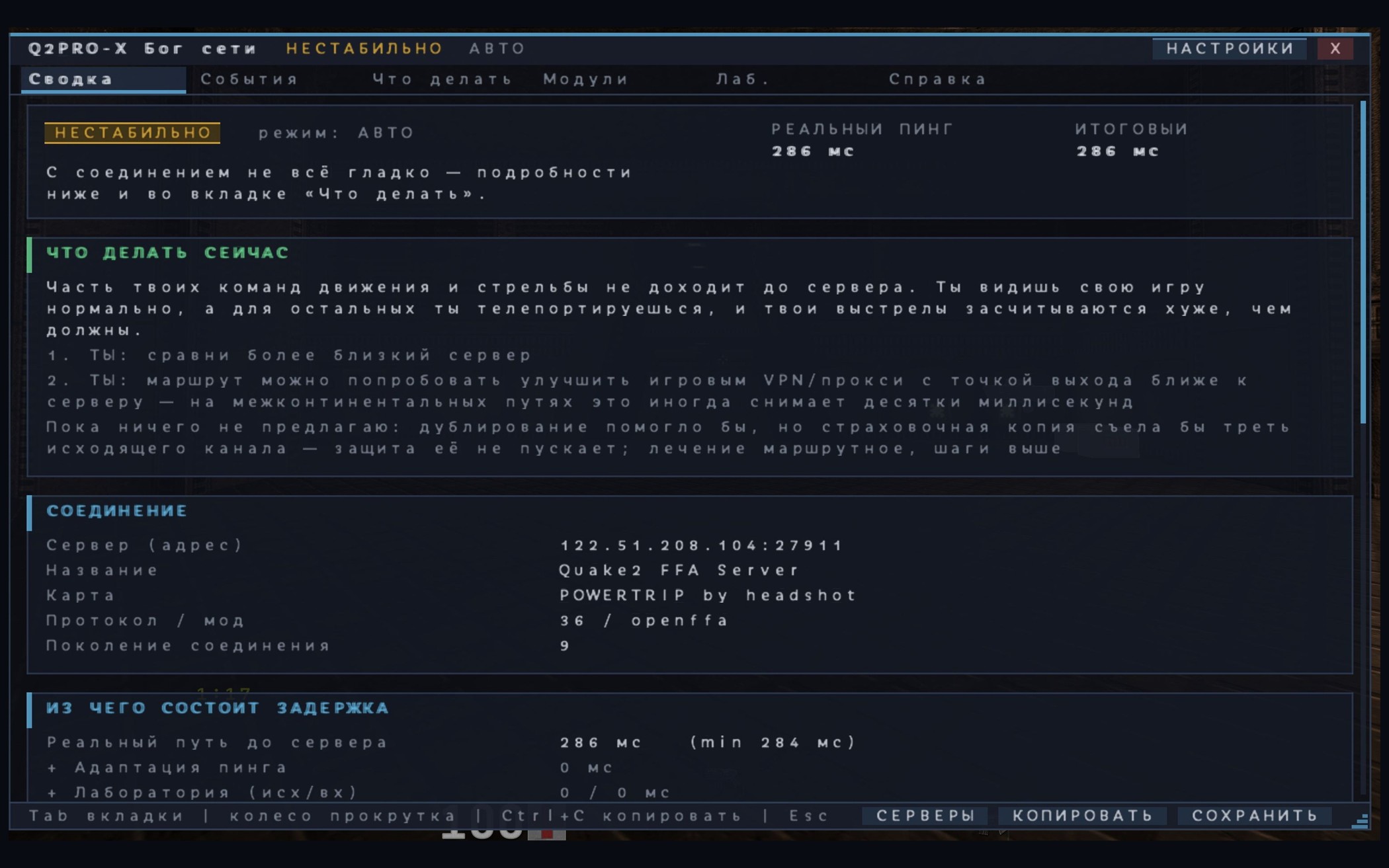
Eight live rounds of network testing took place in early August. An on-screen measurement could return to normal while an opponent still moved in jerks. Server-state frequency, losses, latency variation and client processing were examined separately. Automation was also found to keep changing behaviour after its corresponding setting was disabled. Both the automation and its explanations needed fixing: players had to understand what had been measured, what the program was waiting for and why it suggested the next step.
Network Lab compared connection conditions, Ping Adaptation allowed artificial delay to be tried, and laghax addressed visual response and corrections. Their readings were considered separately. The same caution would later be needed with bots: changing a scoreboard number is easy, but says nothing about when a bot actually saw an opponent or acted.
Network God combined several tools: finding a suitable client UDP port, Jitter Shield, Connection Guardian and observation of connection conditions. Uneven display of other players and artificially added latency were not rolled into one obscure number. Recommendations came with explanations, and a temporary change authorised by the user was tested with a way back. If nothing needed changing, the system was not supposed to invent work merely to keep its indicator busy.
Hearing the Match
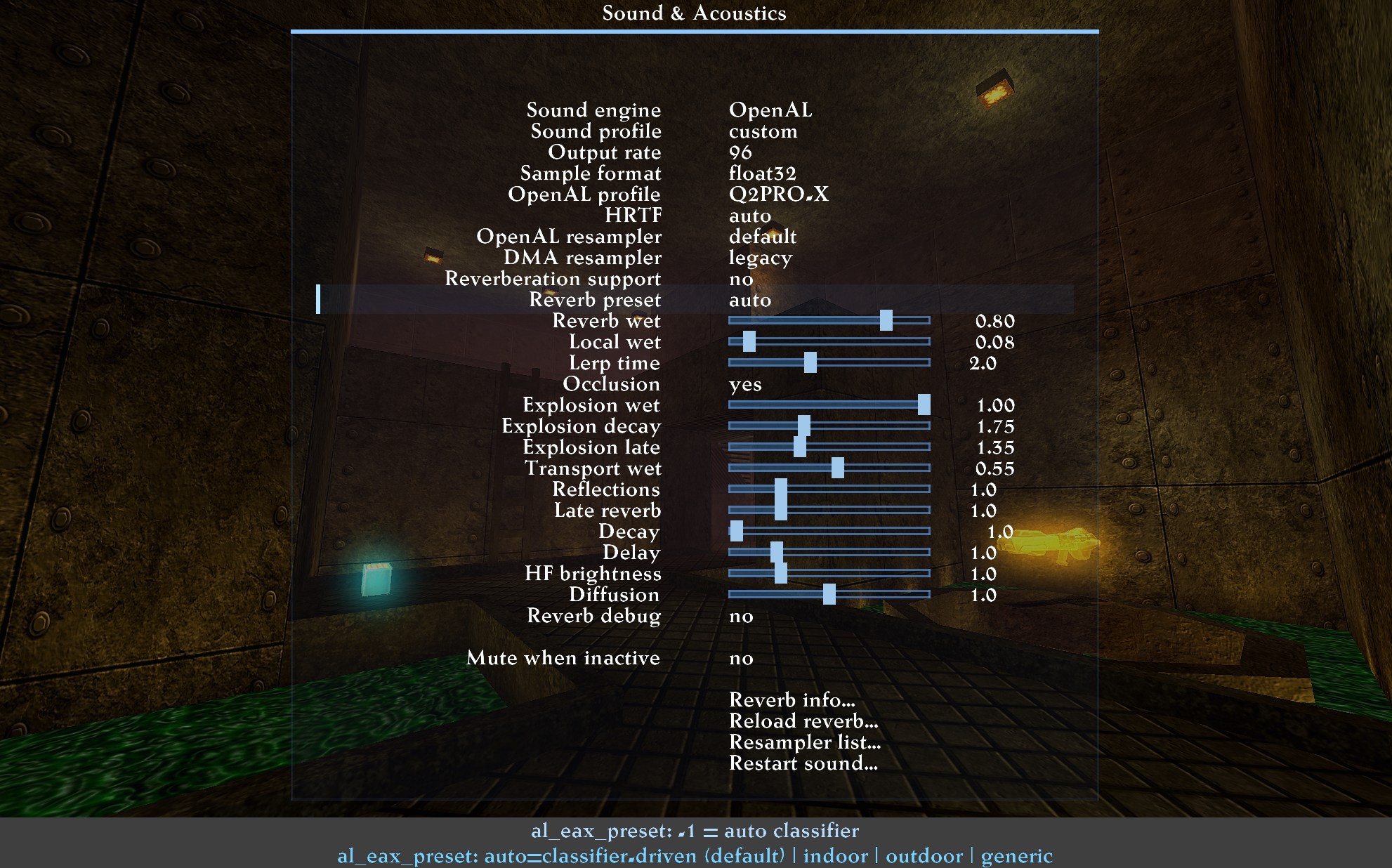
Sound required equal care. Quake II players infer actions behind walls from footsteps, lifts and item pickups; a misplaced source or excessive echo changes their understanding of a situation. HRTF spatial processing and reverberation helped convey the surroundings, while separate levels controlled sound categories. Events still had to remain intelligible: an impressive explosion should not drown out everything useful. Voice chat added another independent stream. It needed testing after map changes, reconnects and transitions between activities, when devices and settings stayed the same but the game session changed.
The client gained online music and an intro with animation, a logo and its own tracks. The intro played once per program launch. It yielded to a direct server connection, and its music stopped when play began. Tests still found overlapping sound sources and incorrect image placement on wide screens—details heard and seen before a person had even started a match.
Music Between Matches
The online player could operate without music presets. PROMODJ offered genres, track searches, a queue, shuffle and an ‘I'm feeling lucky’ mode. The player and its window belonged to the client. Music could play in menus, pause for gameplay and resume on leaving a match; demo viewing had separate music settings. Ordinary Quake II tracks, the online player and intro music remained distinct sources.
Game audio was more than master volume too. Users could choose software DMA output or OpenAL, adjust spatial sound for headphones, room acoustics, audio profiles and individual weapon or player categories. Resampling determined how a source recording was adapted to the output rate. The practical value was audible on a map: recognising a footstep and the direction of a shot mattered more than simply making everything louder.
What the Intro Knows About the Player
The intro acquired a personal layer. Facts from the player's own matches appeared one after another beside the working menu: not generic praise for an unknown visitor, but information extracted from their recordings. Automatic statistics and fact display had to be enabled. If no suitable matches existed, the client invented nothing and did not fill the opening screen with zeros.
The logo had its own lighting, discharges ran around it, and a separate composition shaped the opening's duration and mood. Menu buttons remained available. The intro played once per launch; directly entering a map or server skipped it, and loading a game ended it. Online music autoplay could follow. The order mattered: two players should not compete for attention and volume at the same time.
Timers, Recordings and Statistics
An item timer can have several sources: a player's pickup, a manual countdown or spectator information. These were separated, with server permissions respected. A weapon dropped from a corpse is not a basis for timing a permanent spawn, while megahealth is linked to health decay and does not fit a simple formula. Changing the observed player required readings to be reconsidered. An incorrect bar could look convincing—and send someone to wait for an item at the wrong time.
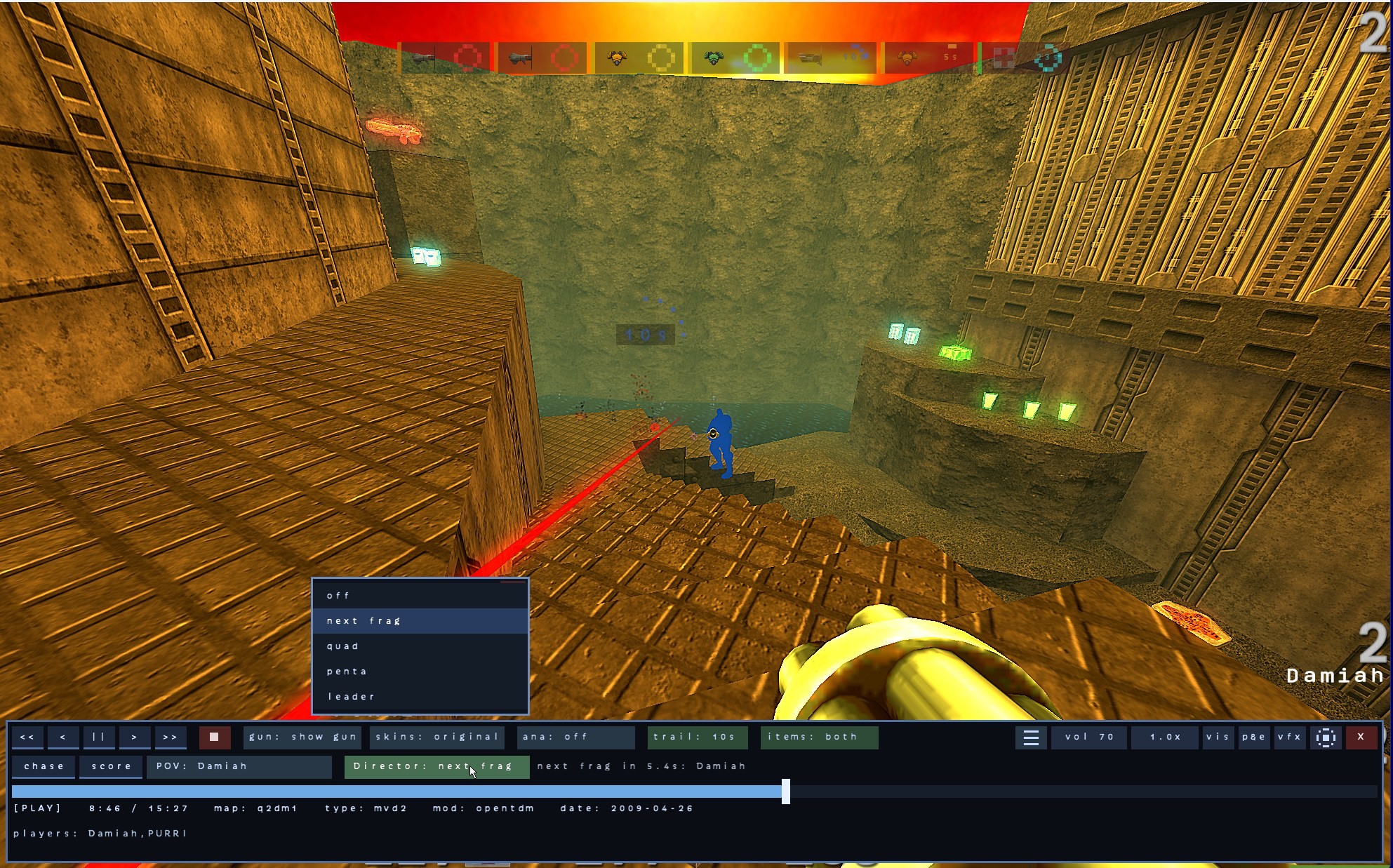
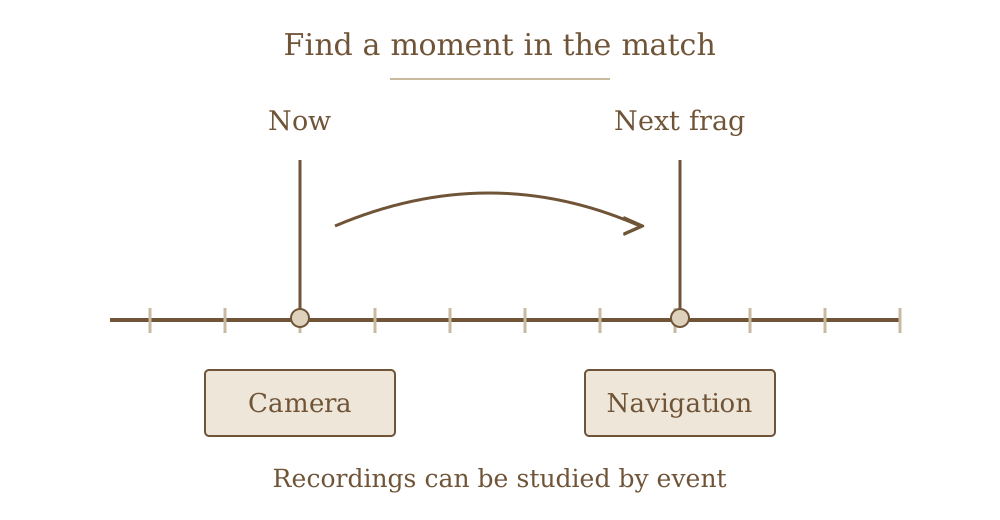
Returning to a failed encounter became easier: MVD gained next-frag navigation, camera controls and movement through the recording. Personal statistics supplemented the score, and the library helped find matches. Console messages were divided into categories with filters. A server address, error explanation or needed moment in a demo could now be found without reading the entire accumulated stream.
From a Demo Folder to a Match History
One recording does not always equal one match. It may contain warmup, spectating and actual play; a lack of frags does not prove that someone was watching. Personal statistics were therefore built from distinguishable events and mod states. DM2 and MVD2 support provided different amounts of information. When a recording could not establish a result, the answer was ‘unknown’, rather than a convenient invented zero in a table.
Seven statistics tabs offered different ways back into past games: an overview, match selection, comparisons by map, mode and opponent, search and checks of source-data quality. Users could restrict the period, specify their own nicknames, open details and jump to a recording. Weapon, frag and death information could expose what memory tends to smooth over: a favourite railgun might contribute less than expected, while the same corridor might end in death too often.
Analysis ran locally. Automatic scanning remained off until chosen by the user, updates were started separately, and collected facts could be cleared without deleting demos, favourites or playlists. Personal intro facts drew only on confirmed matches in which the player had made a positive contribution. Somebody else's MVD was not supposed to award the client owner somebody else's victories.
The demo browser remained a practical tool: library search and sorting, map and participant information, favourites, playlists and access to playback. The player let people revisit events, change speed and choose available viewpoints. Recording visuals were separated from ordinary gameplay: an episode could be watched with effects without rebuilding the familiar competitive appearance.
The bridge to old 32-bit game DLLs brought a separate puzzle. In the 64-bit build, a map loaded and the character moved, but megahealth behaved incorrectly. Changes to the item were not transferred in the same way as changes to the player. Synchronisation of affected entities was corrected in July. Reproducing the problem required collecting megahealth and following its entire cycle; simply loading the map did not reveal it.
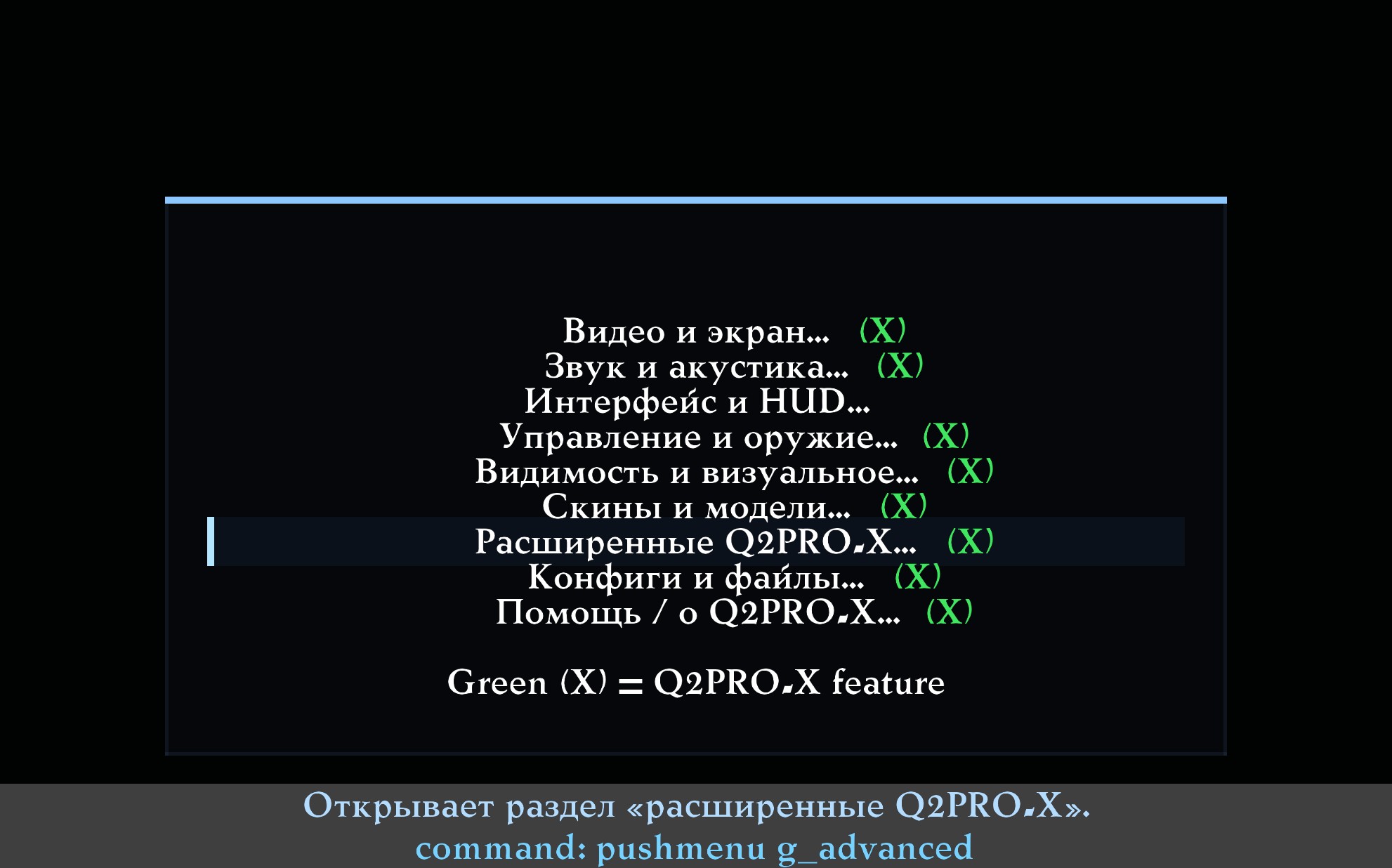
Hundreds of variables were already difficult to remember. Guided menus led to the right system with explanations, while the CVAR browser retained detailed search. Presets saved coherent visual arrangements, and the generator helped explore combinations. Factory values were separated from user choices, and settings for particular areas from the full configuration. Otherwise, a launch or update might give people a different game from the one they had spent so long adjusting.
Settings You Do Not Have to Remember
The same concern for habit applied to the mouse and zoom. Movement-processing mode, zoom sensitivity, transition speed, a separate crosshair and walking while zoomed were independent choices. Importing an old configuration had to preserve the familiar feel of the hand. Bindings, Russian input, automatic transliteration and outgoing-message translation addressed less spectacular but everyday needs, from a short command to a conversation on an international server.
A modern monitor required choices too. True HDR, ordinary SDR, bloom, tone mapping and render scale were not one effect. OLED protection worked during inactivity; fullscreen, windowed operation and quick access to the desktop adapted the old game to a new workstation. Mods retained their own profiles, local visual overrides and command hints. Settings needed to survive transitions between these activities without an unexpected reset.